Learn how to read Jyotish - Vedic astrology charts in Prashna Online, including North Indian, South Indian, and Sudarshan layouts, chart symbols, divisional charts, and interactive controls. A guide to reading chart layouts and symbols used in Prashna Online.
Prashna Online offers a flexible and interactive chart environment designed for both classical study and professional analysis. This guide explains how charts are displayed and how to interact with them effectively.
⸻
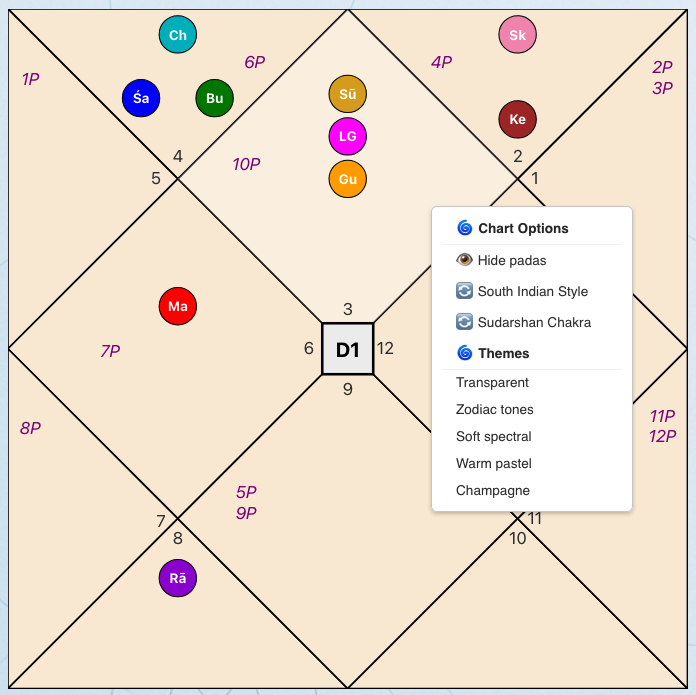
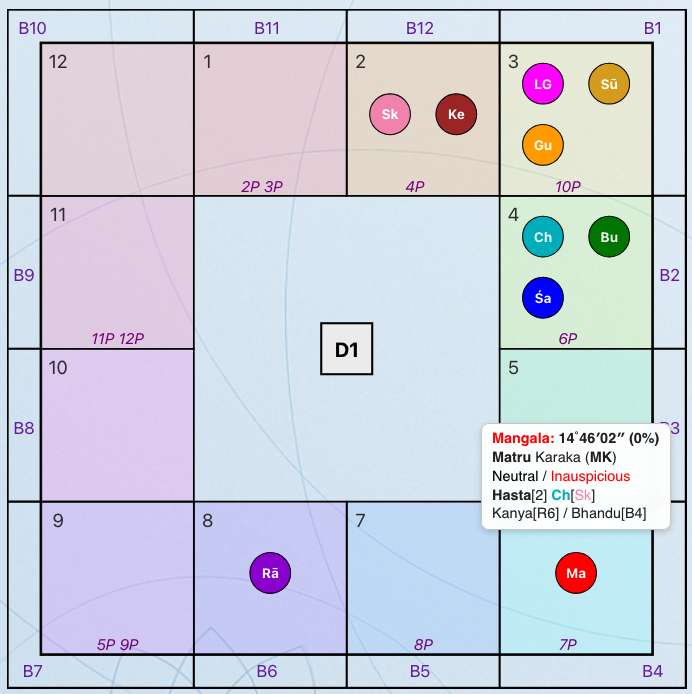
Prashna Online supports both major classical layout traditions:
There is a global setting that defines the default chart style for the entire application. It can be either North or South Indian Style.
However, each chart can be adjusted individually within the program, allowing you to switch styles at any time without affecting other open charts.
This ensures flexibility while maintaining consistency across your workflow.
⸻
This reflects the true astronomical division used by the selected system.
⸻
When hovering over a Bhava field with the mouse:
!Menu
Right-clicking anywhere on the chart opens a contextual menu.
From here you can:
This keeps advanced display options accessible but unobtrusive.
!Menu
When hovering over a Graha (planet):
Depending on context, this may include:
This allows fast inspection without leaving the chart view.
⸻
In the North Indian chart, you can rotate the chart orientation seamlessly:
To return to the original orientation:
This feature is especially useful for:
⸻
Above each chart is a dedicated toolbar allowing further manipulation:
The toolbar allows dynamic recalculation without leaving the chart view.
!Menu
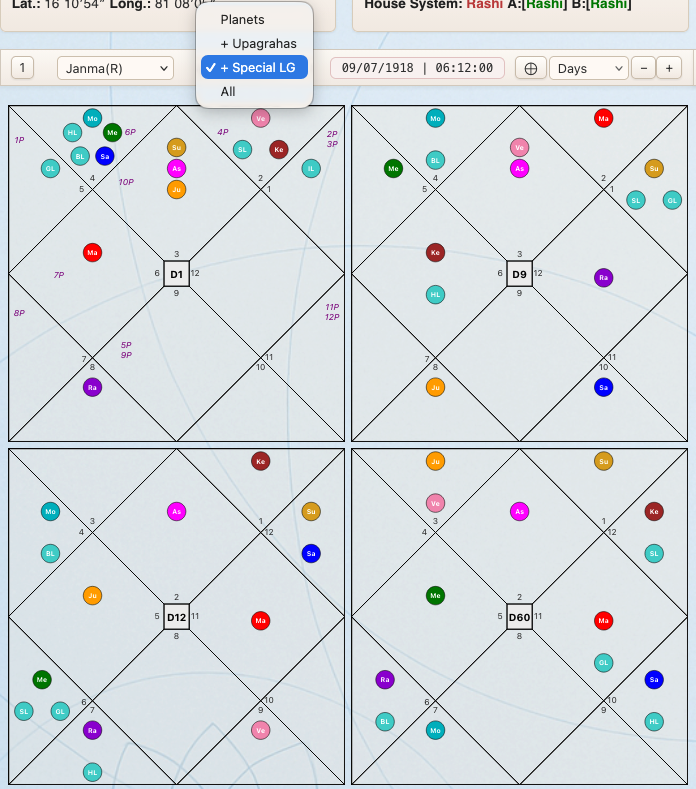
By clicking the “4” button, you can display four charts simultaneously.
This is useful for:
Click the “1” button to return to single-chart mode.
⸻
The Group Selection option allows you to control which celestial factors are displayed in the chart.
This feature provides clarity during analysis by letting you reduce visual complexity or expand the display when deeper study is required.
You can choose between the following groups:
Grahas
Displays only the nine classical Grahas: Surya, Chandra, Mangal, Budh, Guru, Shukra, Shani, Rahu, Ketu
This mode is recommended for standard chart reading and most classical interpretations.
+ Upagrahas
Displays:
Useful for more technical analysis involving secondary planetary points.
+ Special Lagnas
Displays:
This mode is helpful when analyzing derived ascendants and Lagna-based techniques.
All
Displays all Grahas, Upagrahas and Special Lagnas
⸻
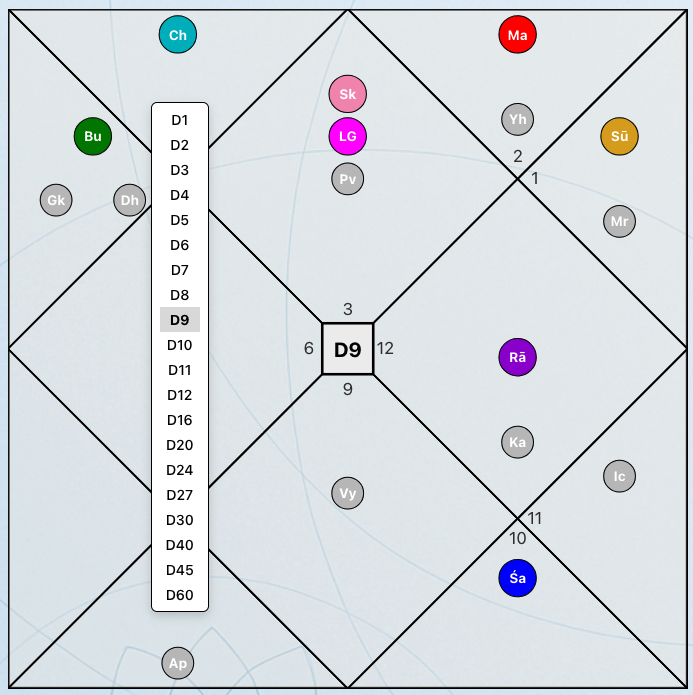
To change the divisional chart:
The chart updates instantly while preserving your layout and display settings.
!Menu
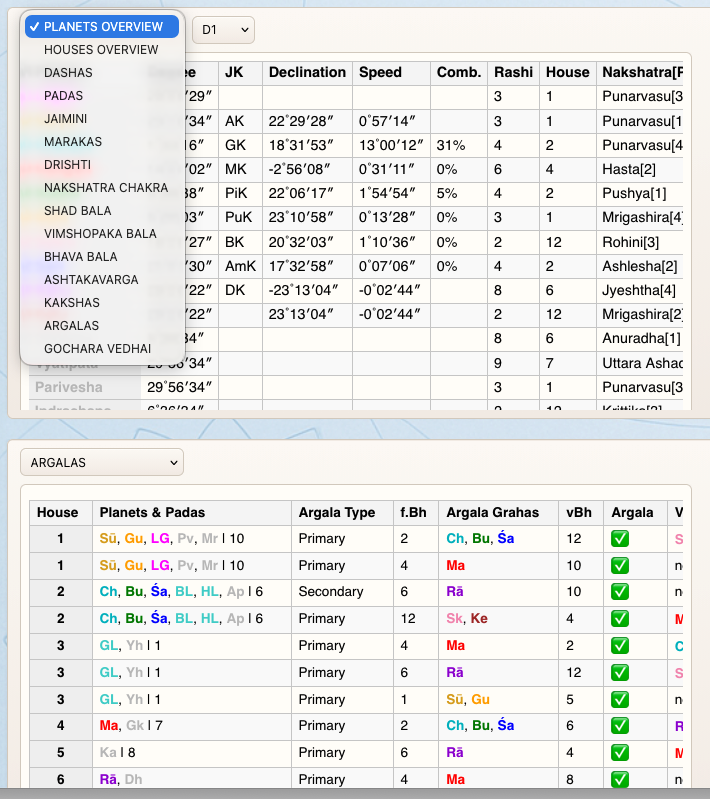
Below the main chart area is the detailed analysis section.
This area allows focused study of:
The detailed view is designed to support structured, topic-based examination of the chart.
!Menu
The chart interface in Prashna Online is designed to:
Every interactive feature exists to enhance analytical precision—not to distract from it.
⸻
Previous: Types of Vedic Astrology Charts (Birth, Transit, and Horary Explained)
Next: Planetary Strength in Vedic Astrology (Shadbala & Vimshopaka Explained)