
Contexts & House Systems Explained
A reference guide to Janma, Gochara, and Prashna contexts and their proper use with different house systems.
Prashna Online operates using three distinct analytical contexts.
Each context has its own purpose, internal logic, and methodological boundaries. Contexts are not interchangeable, and calculations are intentionally separated to preserve structural integrity.
⸻
Analytical Contexts
Janma (Birth)
Used for analysis of the natal chart calculated for the exact moment of birth.
All computations are fixed to that moment and serve as the foundational reference for the individual.
Time-shifting is deliberately disabled in this context to preserve the integrity of natal analysis. The Janma context forms the structural baseline against which all other contexts may be examined.
⸻
Gochara (Transit)
Used to analyze planetary transits as they apply to a specific individual.
This context is time-shiftable, allowing examination of evolving planetary configurations over time. Only those analytical features that are methodologically valid for transit analysis are computed. Natal-only logic is not reused unless explicitly appropriate.
The separation ensures that transit evaluation remains structurally correct and does not contaminate natal interpretation.
⸻
Prashna (Horary)
Used for horary analysis and calculated for the exact moment a consultation begins.
Prashna shares the computational mechanics of Gochara (current planetary positions), but it is fixed to a single meaningful moment. The chart reflects the intent and circumstances present at the time of inquiry.
Unlike Gochara, Prashna is not time-shiftable. The moment itself is the core interpretive anchor.
⸻
Context Selection & Interface
The analytical context is selected from the toolbar above the chart drawing.
- The left toolbar controls the left chart (Column A).
- The right toolbar controls the right chart (Column B).
This dual structure allows direct comparison between contexts without mixing analytical logic.
!Menu
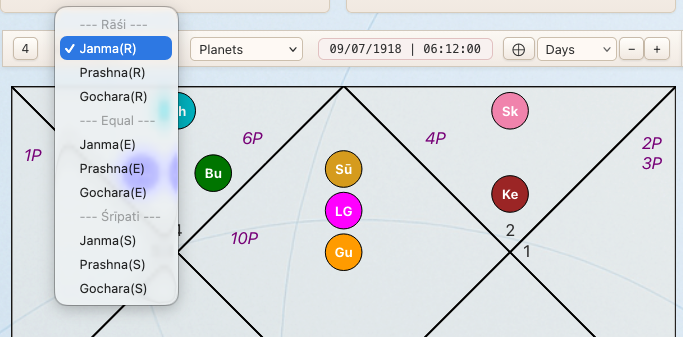
As shown in the picture each context has a (R), (E), or (S) option at the end. This are house systems for each calculated context. Tis mean that a Janma(Birth) Chart can be shown either for Rashi, Equal or Sripati house context allowing user to compare the difference in graha to bhava positions in the chart.
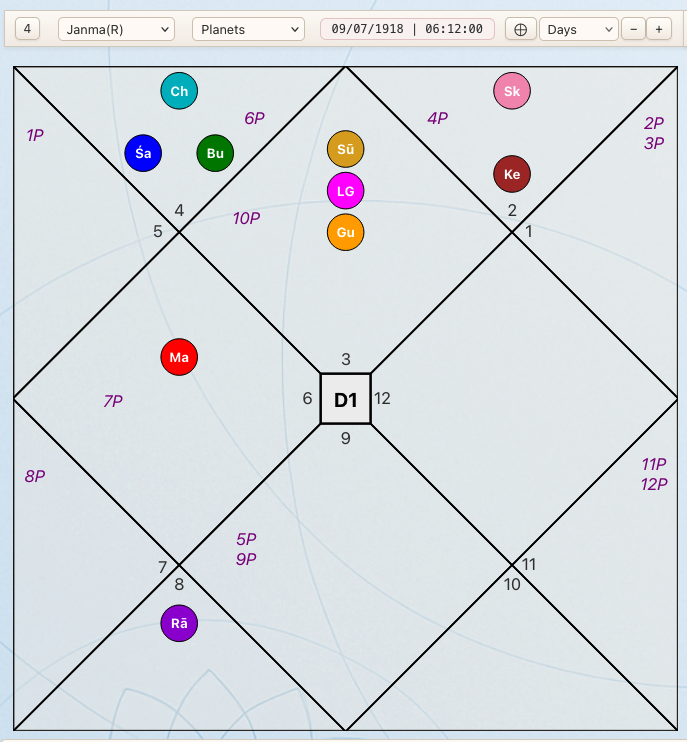
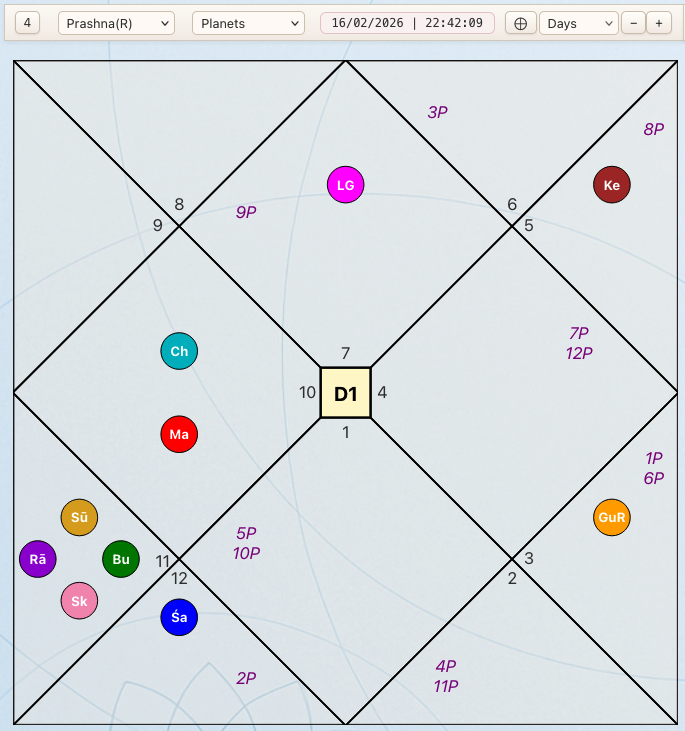
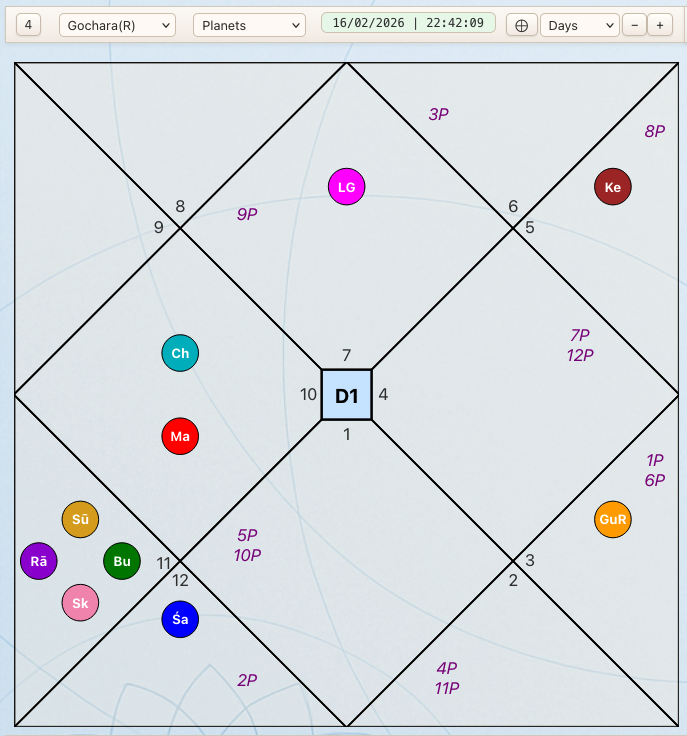
Each context is calculated independently, remains fully inspectable, and is visually distinguished within the chart interface. Contexts are color-coded to allow immediate orientation without ambiguity, while preserving a consistent internal structure across all analyses.
Janma
Prashna
Gochara
⸻
House System Logic & Default Settings
As described above, each context (Janma, Gochara, Prashna) can be displayed using one of three house systems:
- Rāśi(R) : Each zodiac sign constitutes one full house; house boundaries coincide with sign boundaries.
- Equal(E) : Houses are measured in equal 30° segments starting from the exact degree of the Lagna.
- Sripati(S) : Houses are derived from quadrant divisions between Ascendant and Midheaven, producing unequal house spans.
However, there is an additional layer: the global House System setting.
⸻
Default House System (Settings)
In the Settings panel, the user defines a default House System.
This setting determines how all advanced calculations are performed internally.
For example, in the Janma (Birth) context:
- Balas
- Ashṭakavarga
- Argalas
- and other house-dependent computations
are calculated according to the House System selected in Settings.
This ensures methodological consistency for all derived metrics.
⸻
Simultaneous Multi-System Calculation
At the same time, the system calculates core structural data for all three house systems within each active context in parallel.
Specifically, the following are always computed for Rāśi, Equal, and Sripati:
- Bhava positions
- Graha-to-Bhava placements
- Drishti (aspect) relationships
This allows the user to switch the visual house system in Column A or Column B without requiring a full recalculation.
Higher-level analytical features, however, respect the default House System defined in Settings.
⸻
House System Information Line
For clarity and orientation, the top frame displays a House System Info line:
- The red house system indicates the global default set in Settings.
- The green indicators show the currently selected house system in Column A and Column B respectively.
This visual separation ensures that users always know:
- which system governs deeper calculations,
- and which system is currently displayed in each chart column.
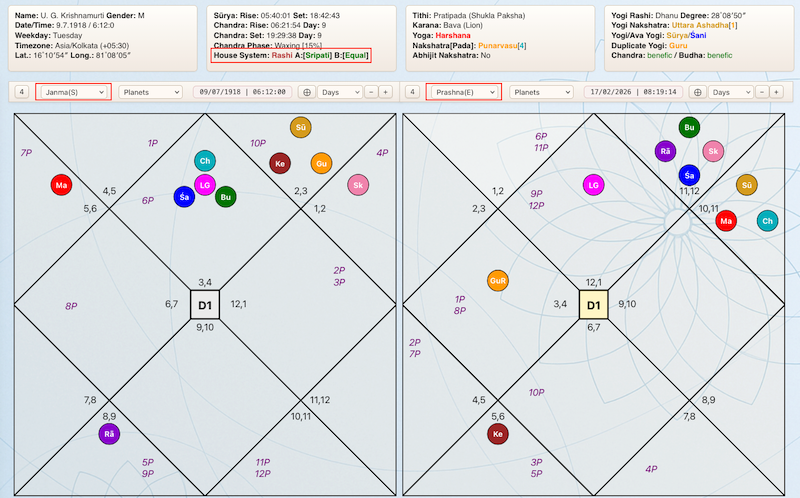
The distinction prevents accidental mixing of analytical frameworks while still allowing direct visual comparison.